Super Scenarios
A super scenario in Dais is a scenario that you can clone the inputs and the outputs data from when you create a new scenario.
Note: You can have multiple super scenarios allowing multiple choices for your starting input and output dataset.
Why use Super Scenarios?
Normally when you create a new scenario in Dais it has an empty input store and an empty output store. This means a user would likely have to copy in some form of starting input data for the model to consume when called.
The way to circumvent this problem is using a super scenario. Once a super scenario is enabled any new scenario can use the super scenario to get its starting input and output data from.
It is very common to have a nice "base case" as a super scenario for a reasonable starting point when creating new scenarios.
Making a Super Scenario
- Click the
EDITbutton in your scenarios view

Select the scenario you would like to make your "super scenario"
Toggle the
Super Scenarioswitch

Click the
SAVEbutton on your "Edit scenario" modalClick the
SAVEbutton in your scenarios view
You have now enabled a "super scenario". This is denoted by the star icon on the scenario tile.

Cloning a Super Scenario
- Create a new scenario

- Select your "super scenario" from the dropdown labelled "Copy Settings From"

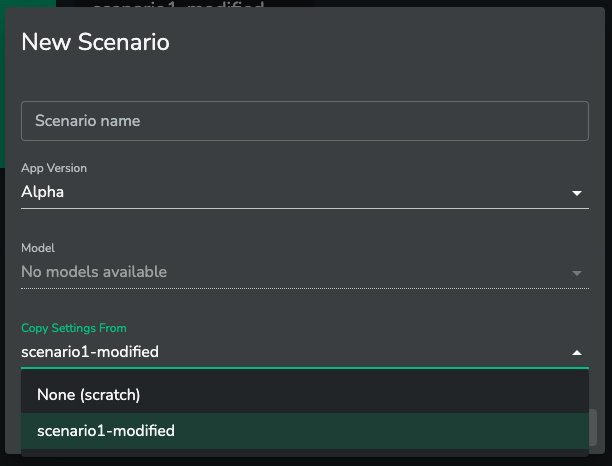
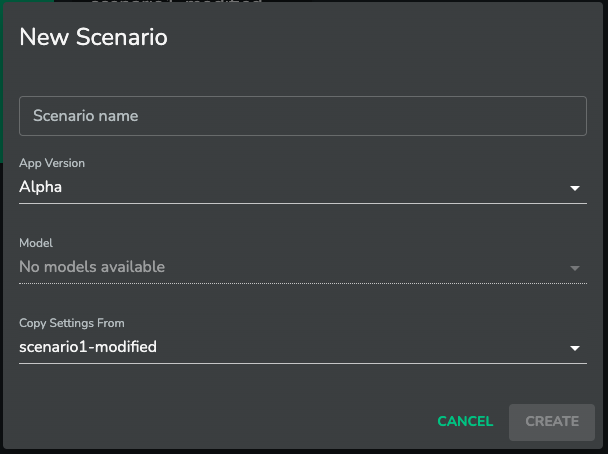
- Click
CREATE
Your new scenario will now start with the input and output data of our "super scenario"