App Permissions
Overview
There are a lot of use cases when a team is developing an app and would like to assign custom roles and permissions to the users who can access the app. This feature is now allowing people to manage the users within an app and assign them custom roles and permissions, and could also develop the app backend service to manipulate the data/component based on what each user can see.
The app permissions feature include 3 dimensions: permissions, roles, and users. Permissions are defined as key-value pairs, where categories are the keys and permissions themselves are the values. Roles are based on permissions, where a role can be created and assigned the corresponding permissions and an expiration period. Users are based on the roles, where one role can be assigned to each user.
App owners or maintainers will be able to add permission pairs, edit permission values, add/edit/delete roles (except for default role), and assign/edit/reset a role for each user.
App Permission Management
Click the 3 dots on the top right corner within an app to enter the app admin page. In the app admin page, click "User Permissions" on the left panel.
Permissions Management
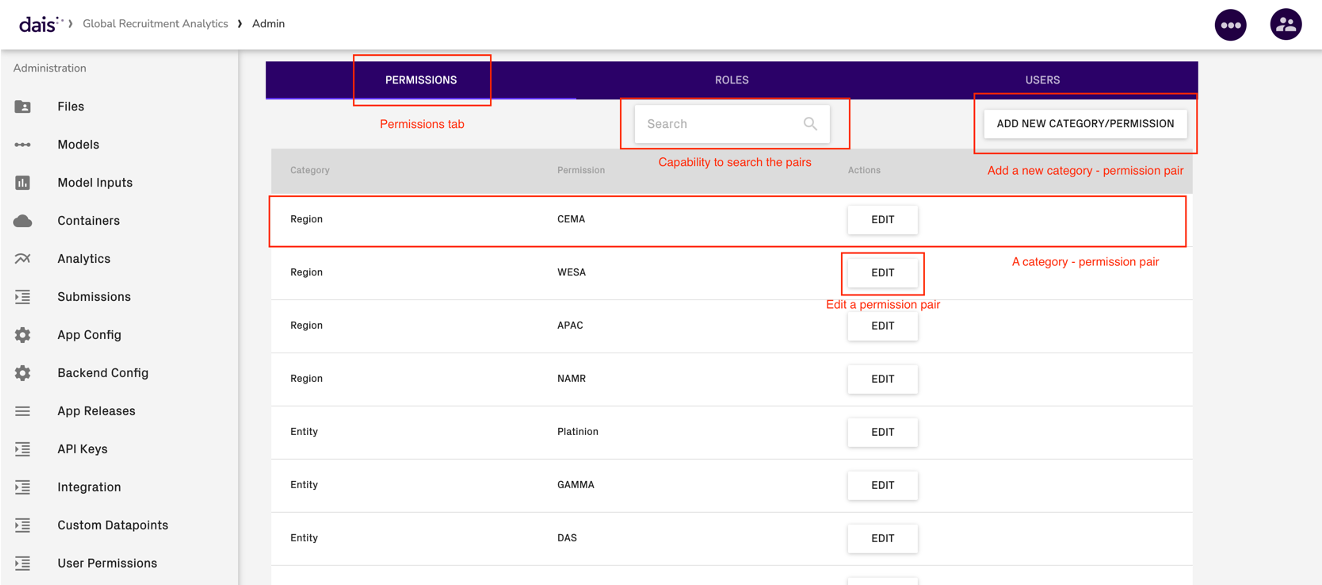
- Permissions are set-up as category – permission pairs.
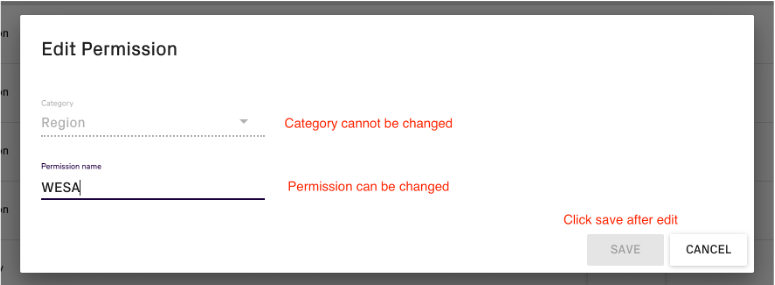
- The app owner/maintainer is able to add a new category – permission pair, edit the permission value of a pair, but not able to delete a pair or rename a category.
Roles Management
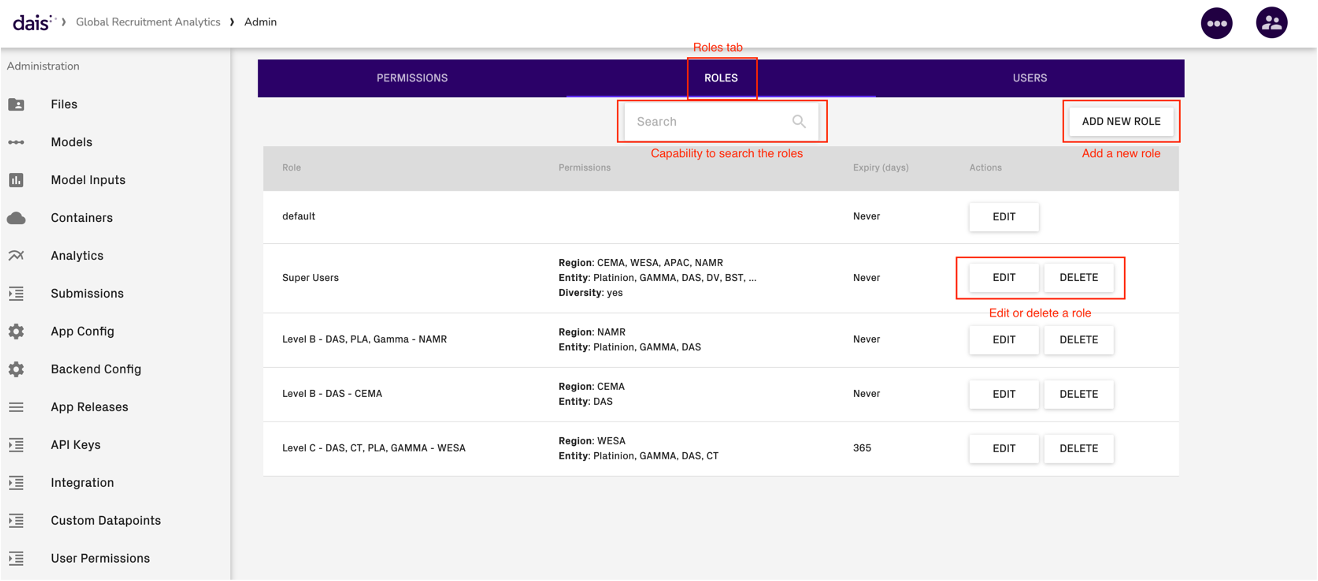
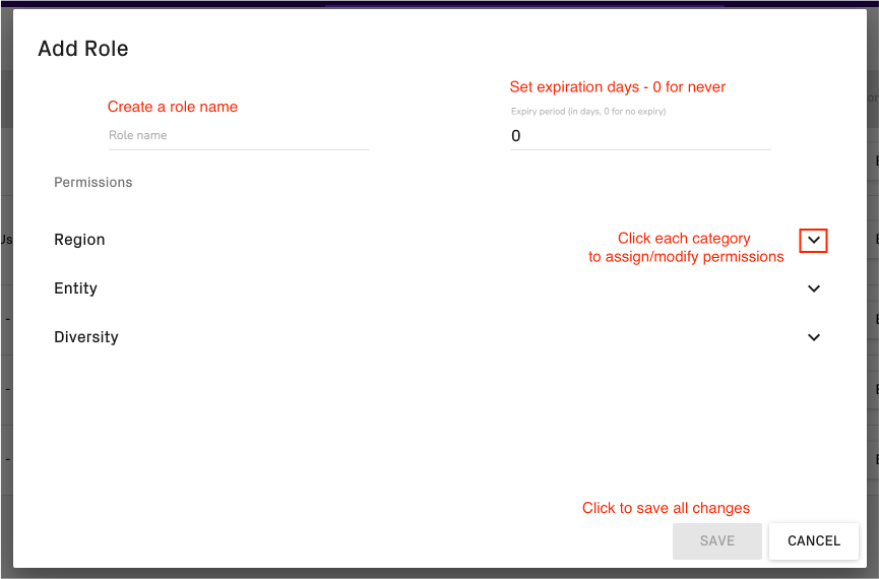
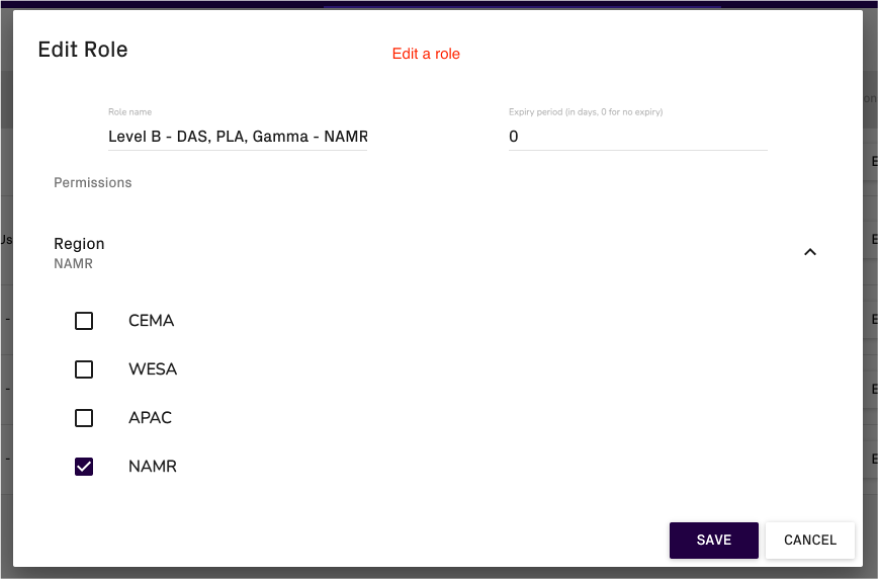
- Roles should be assigned the associated permissions and expiry (in days). Roles can be edited (rename, modify permissions & expiry) or deleted – except for “default” role, which is automatically generated when app creation
- Default role cannot be renamed / deleted / modify expiry. All users have access to the app will be assigned to “default” role by default. When a role is deleted or the user role is expired, the associated user will be assigned to “default” role automatically
Users Management
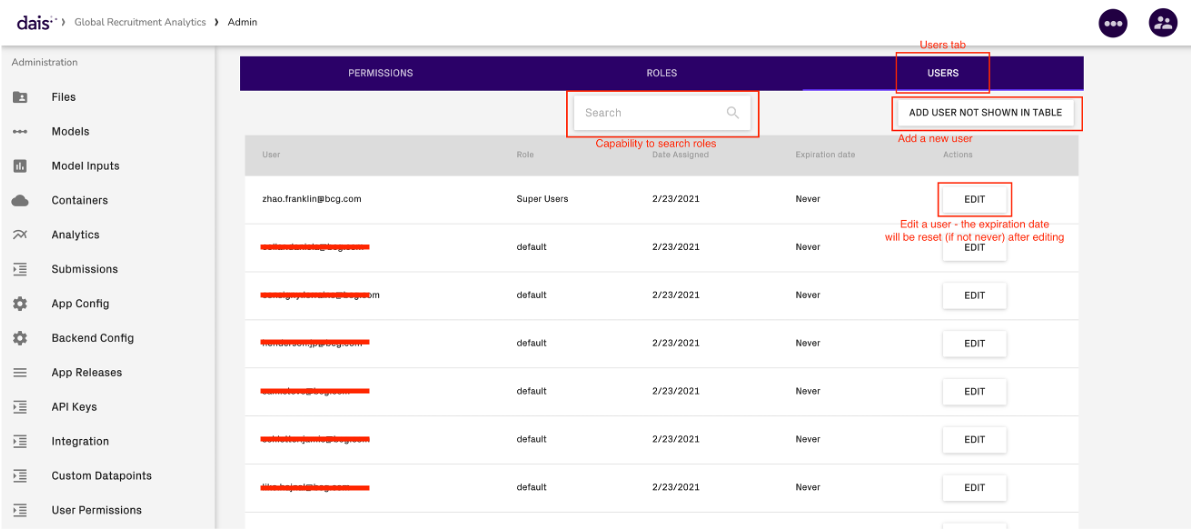
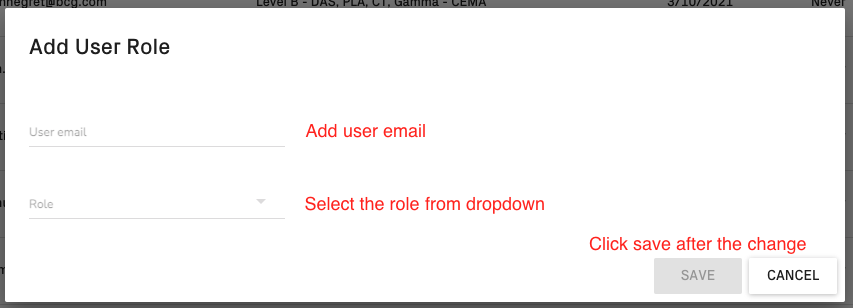
- All users with access to the app should automatically be in this table after they logging onto the portal for the first time. However, we have the capability to pre-assign user a role before they appear in this table by manually adding their emails and assign the role.
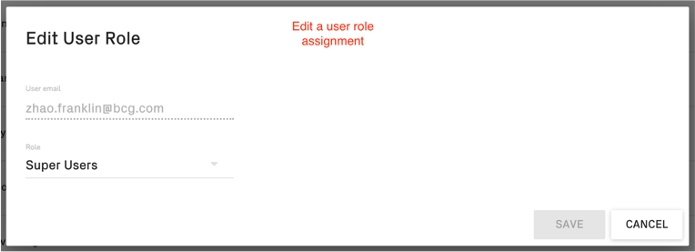
- Each user can only be assigned a single role.
Checking Permission in a Persistent Backend Service
The check permission URL will be exposed to the project container by passing an environment variable PROJECT_PERMISSIONS_URL. The cookie for making the request will be sharing the same one as the file-manager service: PROJECT_RESOURCES_COOKIE. For each HTTP request in the persistent service, there is a header X-Dais-User-Email already provided so that you could extract the user (email) and pass it as a request parameter to the URL mentioned above.
The response for that URL will return a json with a list of permission pairs, with each element as something like:
{ category_value: 'SOME_CATEGORY', permission_value: 'SOME_PERMISSION' }
To get the logged-in user email in each request in web.py , simply extract X-Dais-User-Email key in its header:
def run_model(request):
    email = request.headers['X-Dais-User-Email']
A template function for extracting the permission dictionary given a user email:

def get_permissions(email):
    """
    check the permissions of a user

    Parameters
    ----------
    email: email address of the user

    Returns
    -------
    a dictionary with permissions: {"category_1": ["permission_1", "permission_2"], ...}

    """
    check_permission_url = os.environ["PROJECT_PERMISSIONS_URL"] + email
    with requests.session() as s:
        for item in cast(SimpleCookie, SimpleCookie(os.environ["PROJECT_RESOURCES_COOKIE"])).items():
            s.cookies.set(*item)
        response = s.get(check_permission_url)
        if int(response.status_code) != 200 and int(response.status_code) != 304:
            print(f"Error checking permissions for {email}: {response.content}")
            print(f"No permissions will be returned for {email}")
            return {}
        permissions = response.content.decode("utf-8")
        permissions_lst = json.loads(permissions)
        permissions_dict = {}
        for permission_pair in permissions_lst:
            category = permission_pair['category_value']
            permissions_dict[category] = permissions_dict.get(category, []) + [permission_pair['permission_value']]
        return permissions_dict