Custom UI applications
In some cases, you may want to run your own frontend application within the Dais infrastructure (e.g., using React). This can be achieved with Custom UI applications.
In that case, you need to create a persistent service that handles:
- Building your frontend application
- Serving its files via an HTTP server
To see detailed documentation about persistent services, please visit the Persistent Services section.
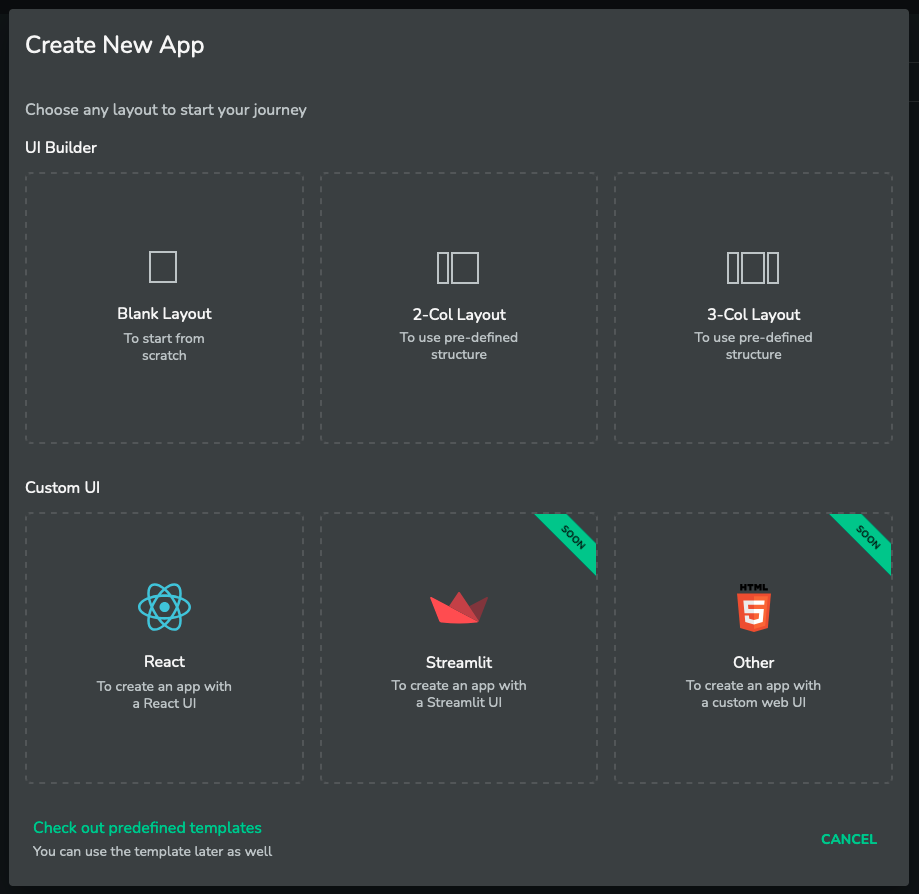
To create a Custom UI application, please select one of the available options that best suits your needs:
Configuration
After creating the Custom UI app, you may see the message 'No Custom UI URL found'. This means no valid Custom UI mapping has been detected yet and you need to provide configuration for your Custom UI application:
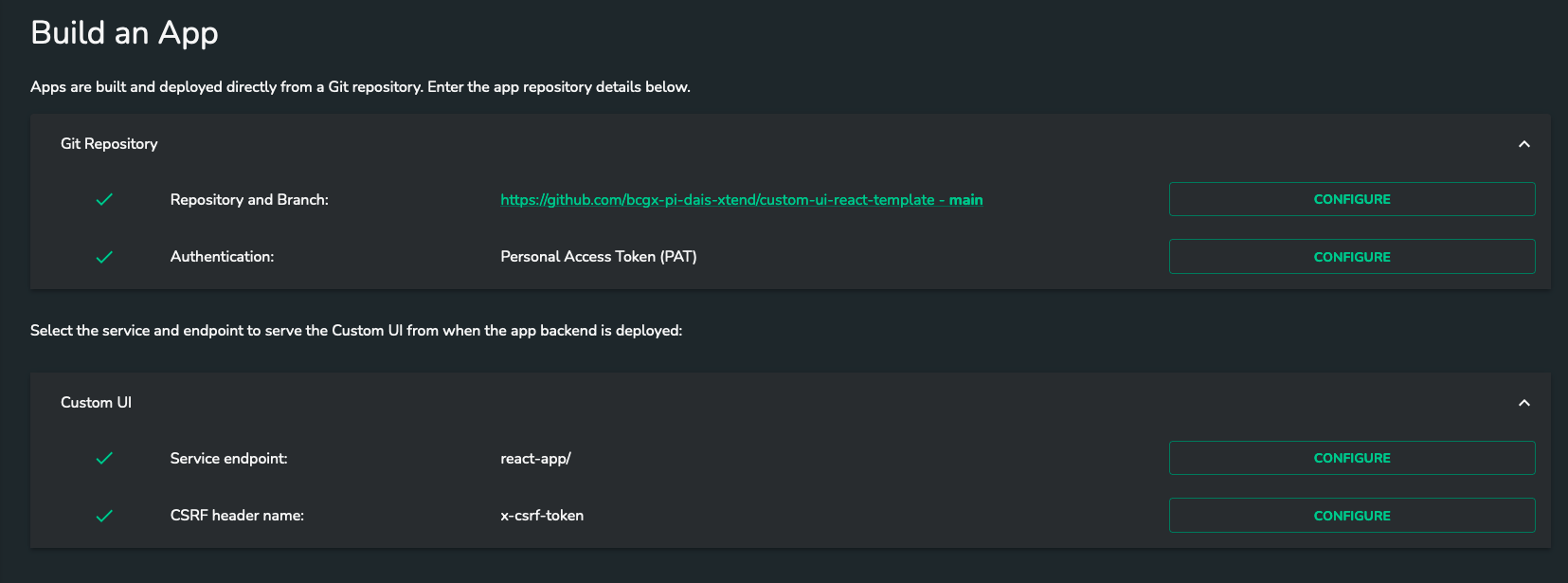
You can configure Custom UI in two ways:
- Via
dais.json: add acustomUiblock to the container that serves the UI. The container must declare"type": "ui". When this block is present and valid, the Admin UI Custom UI fields become read-only and values are sourced fromdais.jsonat build time. See Configure dais.json. - Via Admin UI: use the service endpoint and CSRF header settings below.
If customUi is missing or invalid in dais.json (for example container type is not "ui"), the Admin UI fields stay editable so you can provide values manually.
customUi validation rules:
customUican be defined on only one container.- The container with
customUimust have"type": "ui". - A container with
"type": "ui"must definecustomUi. customUi.endpointis required and must start with/.customUi.csrfHeaderis optional, but if provided it must be a non-empty string.
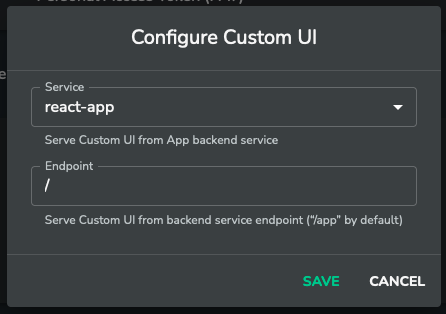
Service endpoint
Service input allows for the selection of a persistent service, which will serve the custom UI interface. The endpoint input defines the internal path, known as the default view, of your custom UI service.
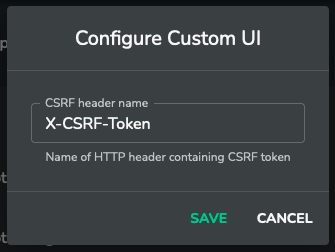
CSRF header name
To secure your custom UI application, you should define the name of your CSRF token HTTP header. Dais automatically checks for its presence on non-GET/HEAD/OPTIONS requests, so you must include this header with any write requests sent to the persistent service from the frontend. Token validation should be handled by one of your persistent services.
Environment variables
Environment variables are passed to the Docker container in which your application is served. They are accessible in the entry script and while the persistent service is running.
DAIS_CUSTOM_UI_PUBLIC_URL
The variable should be used as the base URL for the frontend application. It informs React (or any other framework) about the base path for all paths in your frontend application, based on your endpoint configuration.
DAIS_PROJECT_GATEWAY_URL
The variable should be used as a base URL for communication with your persistent services e.g. {DAIS_PROJECT_GATEWAY_URL}/{persistent_service_name}/{endpoint}
DAIS_PROJECT_ID
The variable contains project ID.
DAIS_APP_VERSION
The variable contains version of your application in Dais.