Changes in Methodology
If you have created apps using App Builder before using workflows, you may have some methodologies that need updating.
Creating Query Parameters for Persistent Service Models
Before using workflows, you may have stored query-parameter objects in the data-stores, for use when running persistent-service models.
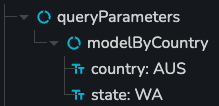
When using workflows, this is an anti-pattern. The data-stores should now be treated only as a direct interface between the UI components and workflows. The pattern with workflows is as follows:
The data store should only hold UI-specific data, for example 'which country is selected' instead of 'data to pass to the model'. The data store should now look like this:

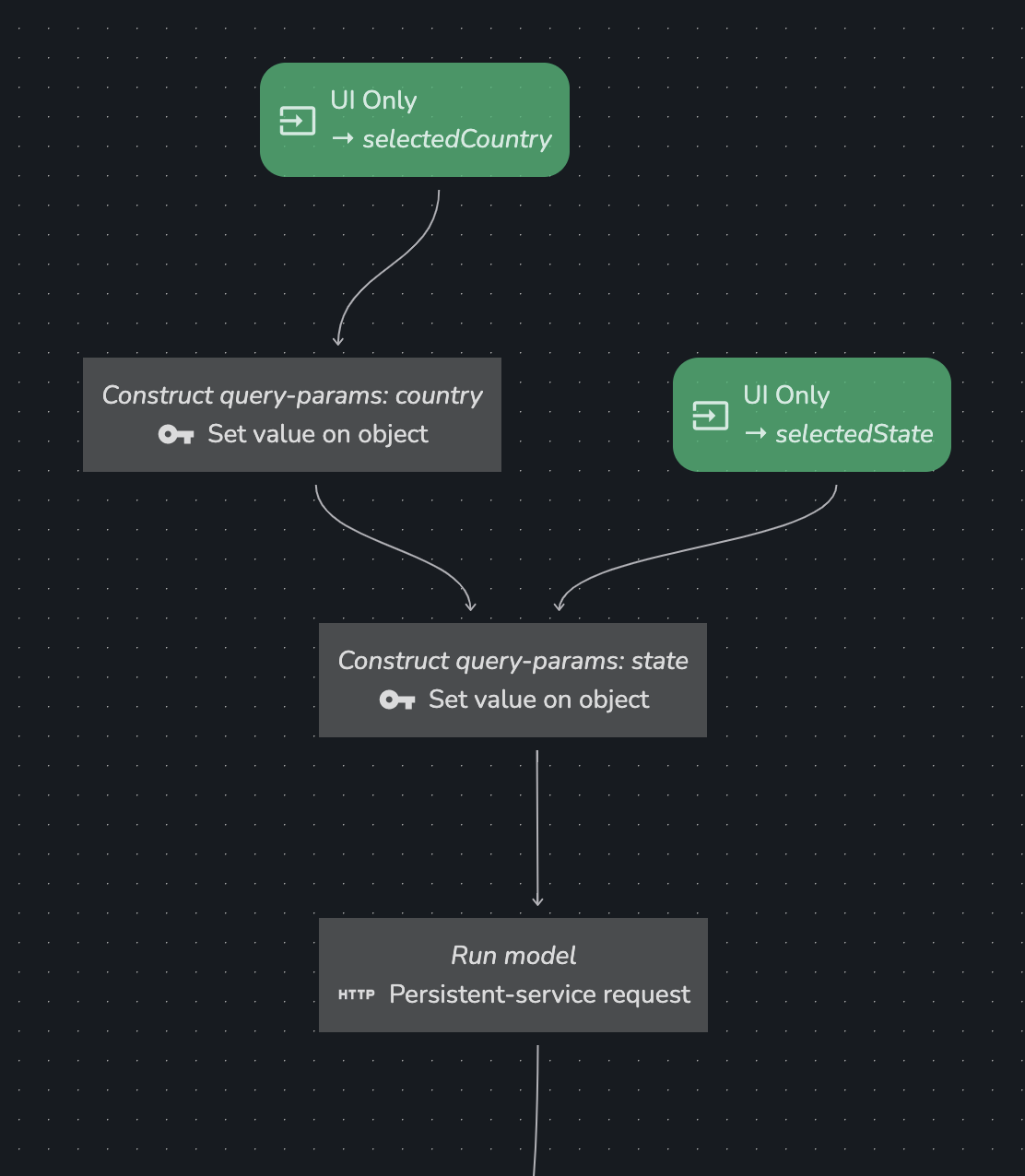
Use workflows to construct the query-parameter object as well as run the model. Use a combination of
Set value on objectsteps to create the query parameters object. Each step is used to add a single parameter to the object, and the object is then passed to thePersistent-service requeststep.
Why?
There are many benefits to this method:
- Reduces duplication of data in the data-stores. For example, previously you may have needed to duplicate the
countryorstatevalues between multiple query-parameter objects in the data stores. - Clearer data in the data stores. Now that the data-stores only act as a store for UI-specific information, you can give your data much clearer names. For example,
selectedCountry&selectedState - Debugging. You can view the inputs & outputs of each step when creating the query-parameter object.
- Performance. Any data-manipulation can be optimized by App Builder when done via workflows.