Switch Blocks
Switch blocks allow you to run different steps based on a value piped in.
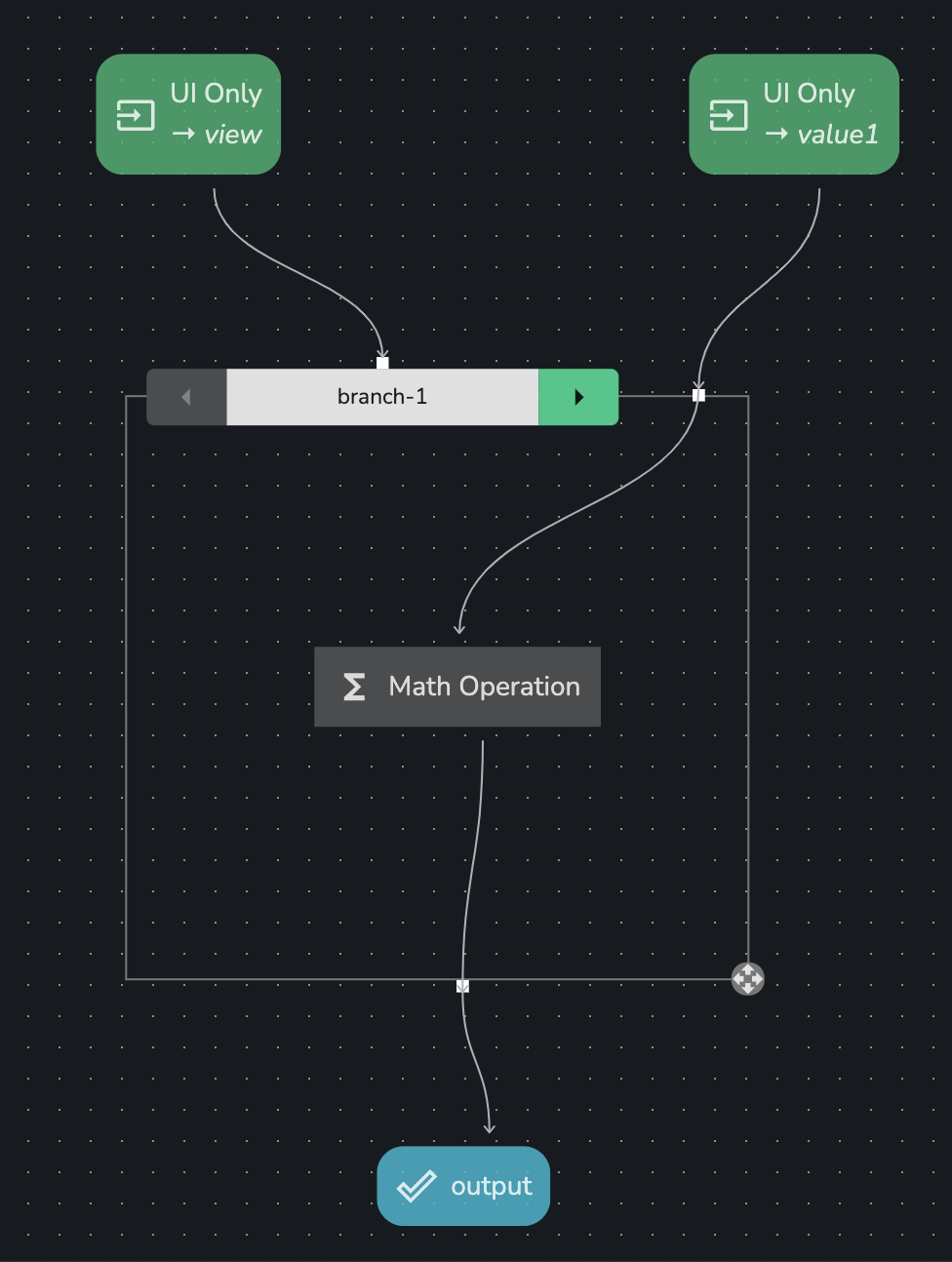
Below is an annotated example:
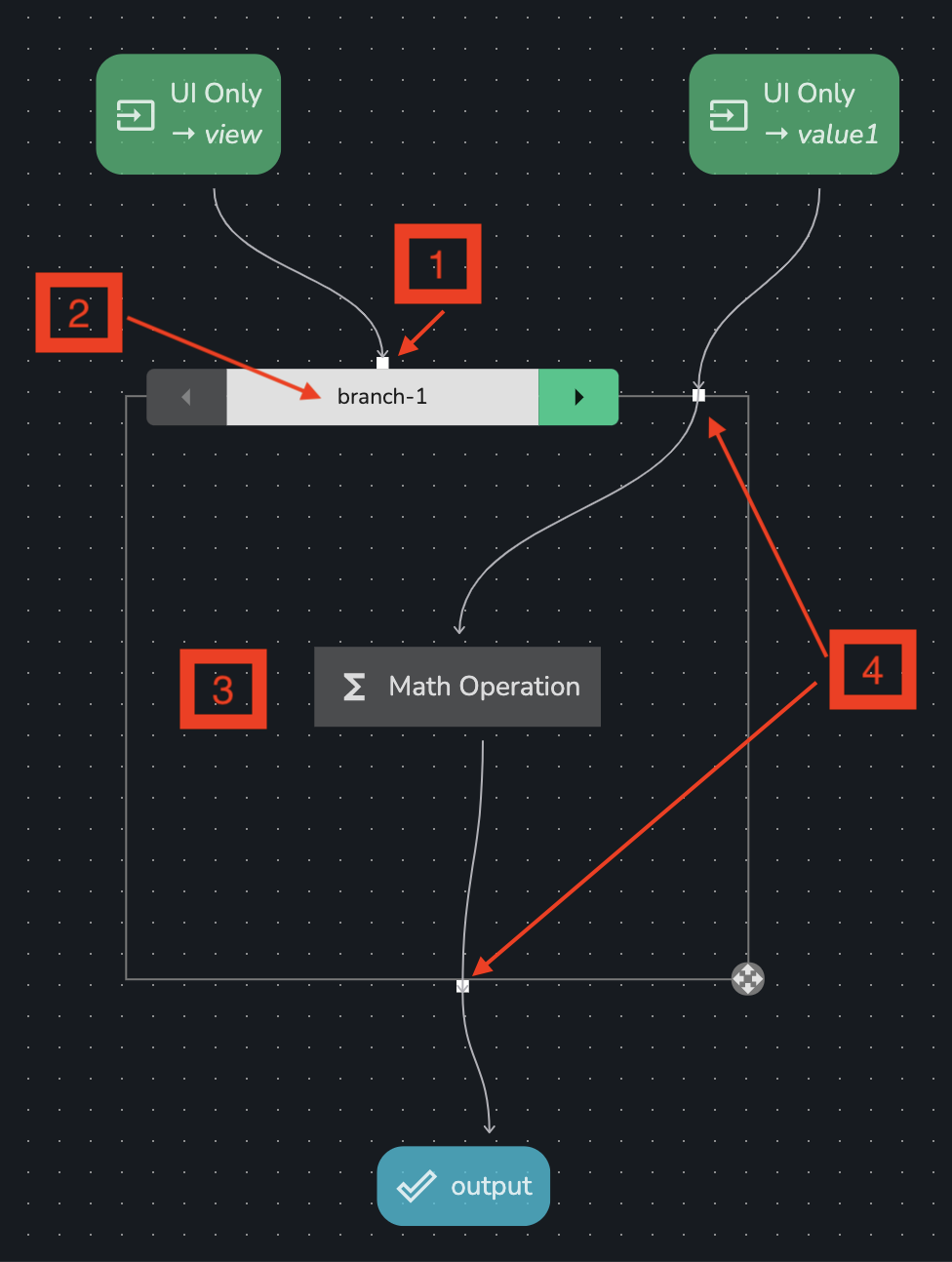
Flow key: the value piped into this handle when the workflow is run defined which branch to runEdit branch selector: this shows which branch you are viewing & editing. In this example, we are viewing the branchbranch-1, which will be run only if the value piped intoFlow keyequalsbranch-1- The steps inside the
Switch blockare the flow for the branch displayed in theEdit branch selector. So here - theMath Operationstep will run ifFlow keyequalsbranch-1 - All data flowing in & out of the
Switch blockmust pass through